All stories · Case study
How City Beach uses product data to decide ad spend
A product with impressions but no clicks may look like wasted ad spend. But that label tells you what happened in advertising, not whether the product is worth selling.
Share: WhatsApp · Telegram · X · Facebook · LinkedIn · Email

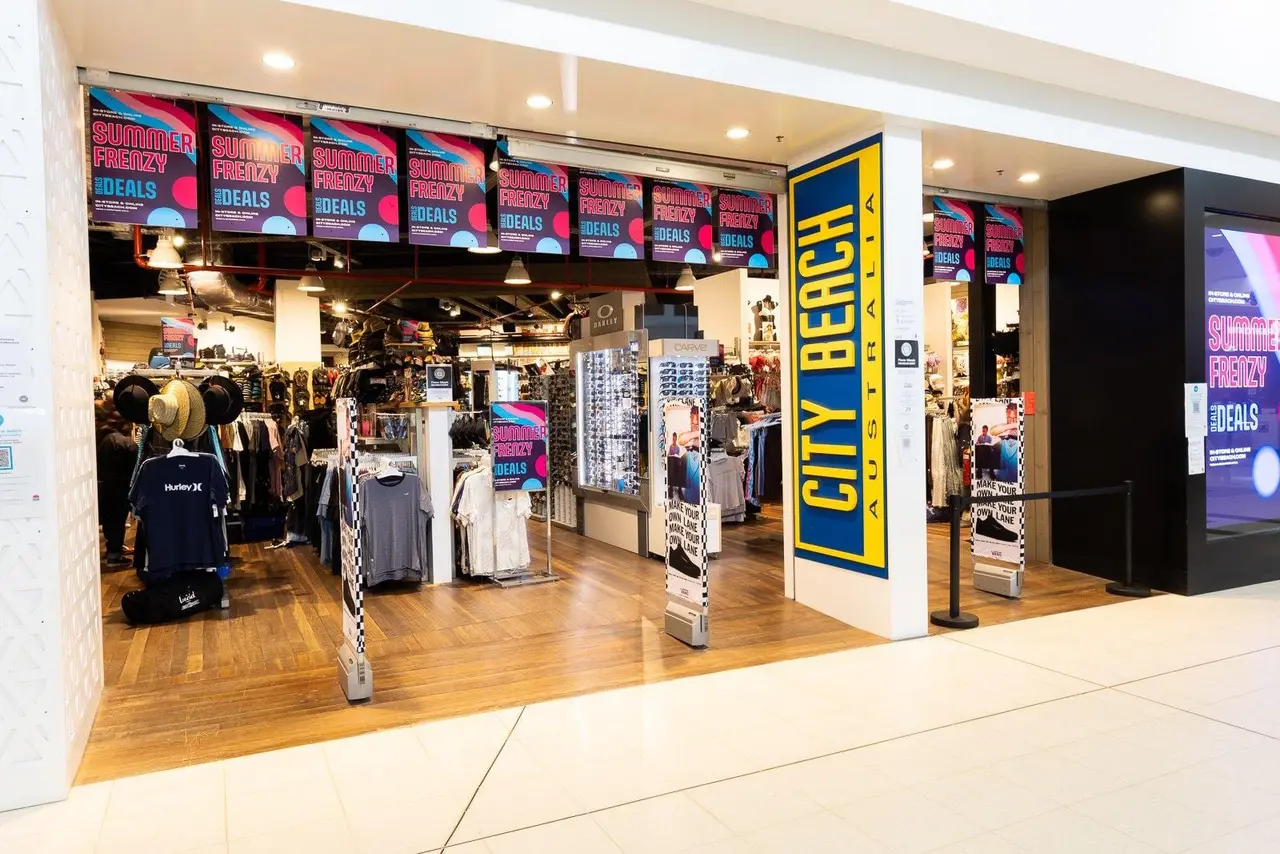
City Beach, an Australian surf, skate and streetwear retailer managing around 75,000 SKUs across four regional markets, uses product feed labels to make that distinction. Its approach offers a useful lesson for Shopify sellers: before removing an underperforming product from your campaigns, check what your advertising data might be missing.
Five labels, five different performance groups
In episode #684 of Add To Cart, published on November 18, 2026, City Beach's Senior Digital Marketing Manager Cristel Gonzales explains how the retailer works with Feedonomics to organize its product feed.
The team pulls performance data from Google Ads and Analytics into the feed, then uses custom labels to divide products into five groups:
- Bestsellers: Products generating the strongest performance and highest ROAS.
- Heroes: Strong performers that deserve more investment.
- Sidekicks: Emerging products with growth potential.
- Villains: Underperforming products.
- Zombies: Products receiving impressions but generating no clicks.
Google Merchant Center provides five custom label fields, custom_label_0 through custom_label_4, which retailers can use to group products for reporting and campaign bidding. These labels are internal campaign attributes, not information displayed to shoppers.
Source: Google Merchant Center Help.
No clicks does not mean no sales
Here is where the distinction matters.
A zombie label reflects advertising engagement. It does not measure the product's complete commercial value.
A product might receive impressions without clicks because it comes in an unusual size, serves a smaller audience or has limited demand on a particular advertising channel. That does not automatically make it a bad product.
Cristel makes this distinction clear in the podcast. City Beach is not giving up on zombie products. It is changing how the retailer approaches their paid performance.
In other words, a product can perform poorly against an advertising metric while still having a legitimate place in the business.
This is also why zombie products should not be confused with dead stock.
Zombie products have impressions but no clicks.
Dead stock refers to inventory that remains unsold over an extended period.
The first is an advertising signal. The second is an inventory and sales problem. Treating them as the same thing can lead to poor decisions.
Your agency can't see your margins. Your feed can
Advertising platforms can process product performance data. They cannot automatically understand every commercial decision behind a product.
City Beach demonstrates this through two practical uses of custom labels.
Inventory and promotional exclusions
Popular products with limited stock are tagged so they do not appear with the Black Friday promotional code. Cristel sends Feedonomics a list of SKUs that should be excluded, and the feed team applies the relevant labels.
The objective is straightforward: avoid spending promotional budget on products that may sell out anyway.
Profit margin segmentation
Feedonomics also suggests bringing gross profit margin data into custom labels. Products can be grouped by high and low margins, allowing the retailer to make more informed decisions about where to allocate advertising spend.
Cristel explains the underlying problem:
"The agency wouldn't know what's a high GP versus a low GP product, or the products that we need to exclude from promotions. It's more of a business decision."
Source: Add To Cart, episode #684.
The point is not that agencies should make every commercial decision. It is that the business needs to supply information that an external advertising team cannot know on its own.
For Shopify sellers, the same principle applies even when there is no dedicated feed management partner. Inventory, margins and promotional rules should be part of the product data and campaign planning process.
Additional source: Google's documentation confirms that custom labels can be used to segment products by criteria such as seasonality, clearance and selling rate. See Google Ads Help.
For Meta catalog campaigns, the equivalent workflow should be configured through the relevant catalog attributes and product sets. Google Merchant Center's custom_label_0–4 fields should not be assumed to work as direct Meta campaign controls. See Meta's catalog documentation.
Before you cut a zombie, ask what your ads are missing
The City Beach example points to a more useful way of evaluating products.
Instead of asking only whether a product receives clicks, ask what the advertising platform knows about its business value.
| What advertising data shows | What your business may need to add |
|---|---|
| Impressions but no clicks | Size availability and audience demand |
| Low ROAS | Actual profit margin |
| Strong sales performance | Remaining inventory |
| Seasonal performance changes | Seasonal relevance and promotional priorities |
These are different dimensions of product performance. A single advertising metric cannot represent all of them.
For Shopify sellers preparing their product feeds and campaigns, a practical starting point is to review products currently classified as underperformers and check whether they have:
- Unusual sizes or variants with a smaller audience.
- High profit margins that justify a different bidding strategy.
- Limited inventory that should be excluded from promotions.
- Seasonal demand that is not reflected in recent advertising data.
Then use Google Merchant Center custom labels to group products according to those business rules. For Meta, translate the same rules into the appropriate catalog attributes and product sets.
One important limitation: the City Beach discussion does not provide specific performance figures showing how much these labels improved ROAS or revenue. It is a practical account of how one large retailer organizes product data, not proof that the same classification will produce identical results for smaller stores.
The takeaway: A zombie label tells you that a product is not generating clicks. It does not tell you whether that product deserves another chance, has a healthy margin or should be protected from promotions.
Before cutting it, check what your feed has not told your advertising platform.
Which products have you kept advertising despite poor click performance, and what made you keep them?
Sources and evidence
- Primary source: Add To Cart, episode #684: City Beach and Feedonomics. Published November 18, 2026. Sponsored podcast featuring representatives from City Beach and Feedonomics.
- Additional source: Google Merchant Center: Custom label 0–4. Official documentation for the five custom label fields.
- Additional source: Google Ads: Use custom labels for Shopping ads. Official explanation of product segmentation and campaign use.
- Additional source: Meta Business Manager: Catalogs. Official documentation for Meta catalogs, product feeds and product sets.
Evidence limitation: No quantified results from the City Beach custom-label strategy were disclosed in the primary source.
Ask AI next
- What tools can smaller Shopify stores use to set up custom labels without an agency like Feedonomics?
- Once a product is tagged a zombie, what specific bid or budget changes should replace cutting it from campaigns?
- What data or thresholds should define a 'zombie' product versus simply low-margin or seasonal?
- How exactly do Google Shopping custom labels affect the campaign's bidding algorithm?
- Is this five-label custom segmentation approach already common practice among smaller online retailers?