All stories · Case study
Plümo's move to Shopify: where each job of the old site went
Share: WhatsApp · Telegram · X · Facebook · LinkedIn · Email
Squashed Pixel, the Shopify agency that moved Plümo off its old headless site, shared the case on LinkedIn on October 28, 2026: orders up 73% from launch month, after each job of the old site was given a new home.
The hard part was the work nobody had written down
Plümo is an independent, family-run concept store founded in London in 1998. From its Hackney Downs base it sells womenswear, shoes, accessories and homewares from many designers, plus its own label, Plümo Studio, according to Squashed Pixel's full case study.
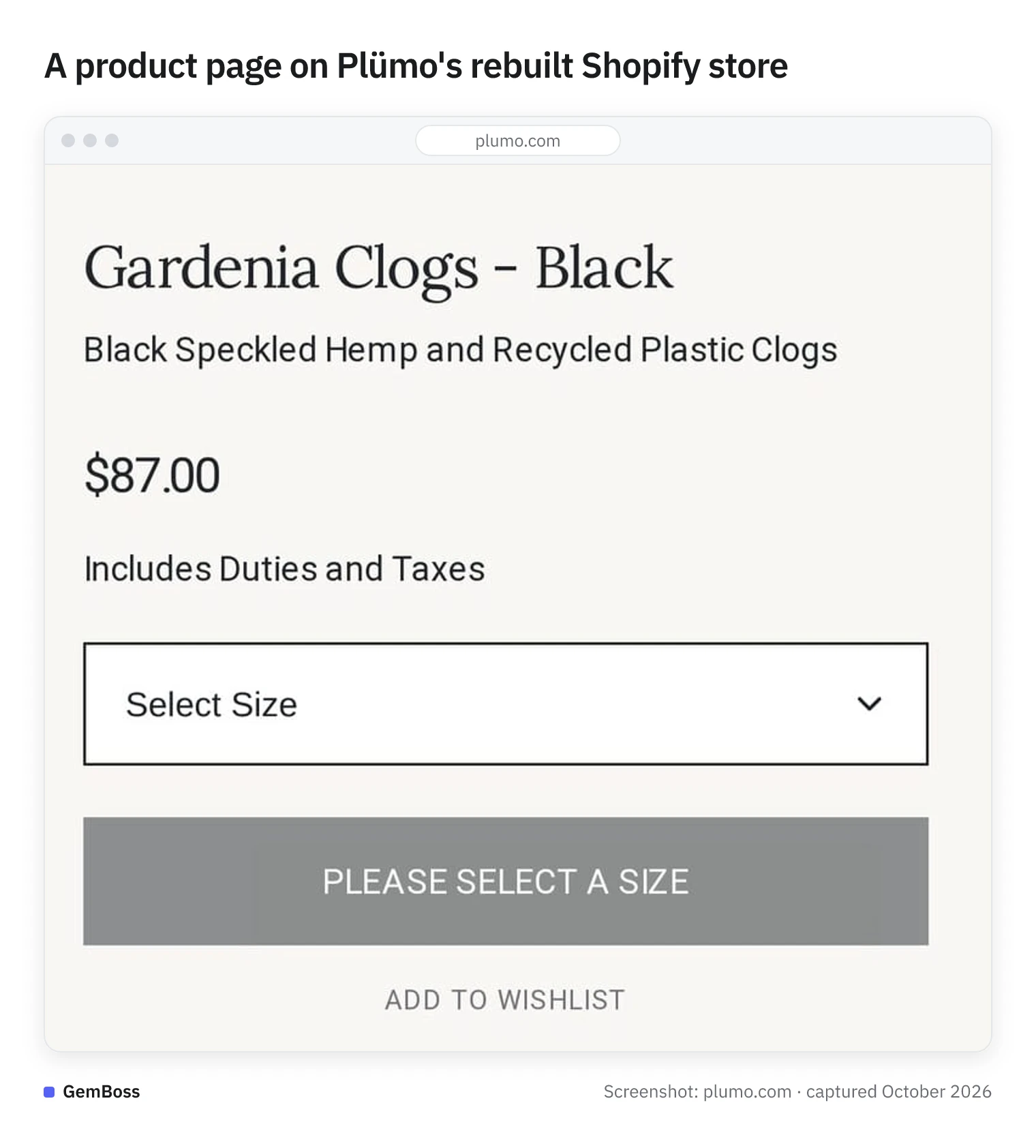
Screenshot of Plümo, captured October 2026.
When Plümo asked to move, the agency wrote that design was the easy part; the hard part was "everything their old headless site did quietly in the background." Any layout change, however small, had to go through a developer, so the team planned campaigns six months ahead and leaned on a page-builder plugin for layouts the site could not handle.
The rest sat out of sight. Many of the old platform's functions had been built up over years around the way Plümo works, mostly in the back office. The catalogue moves fast too: Plümo buys in small runs, and shoppers need clear sizing across many designers plus honest delivery and pre-order information (case study).
Those were the jobs the move had to keep.
One question for every function: what does it do for sales?
The agency's method was a sorting exercise first. It went through every line of Plümo's MoSCoW requirements (must have, should have, could have, won't have) in a shared spec and decided whether each job belonged in the theme, in Shopify's native tools or in an app. Where a function could live in the theme, it did, to keep the site fast, on brand and the monthly app bill lower (case study).
That runs against a common instinct. On the Shopify Community, a bedding brand planning a move from WordPress wanted its layout, branding and user experience kept "as close to our current website as possible" (thread posted September 7, 2026).
Plümo's spec asked a different question: what is this function for?
Size guides, delivery notes, back office: each job found a new home
Layout came first. The store was rebuilt mobile-first on Shopify's Horizon theme, with sections and settings the team changes itself in the theme editor. Fonts, colours and content blocks are now settings, no longer development tickets (case study).
On Plümo's homepage, category tiles, a seasonal story and a bestsellers row sit one after another as separate blocks.
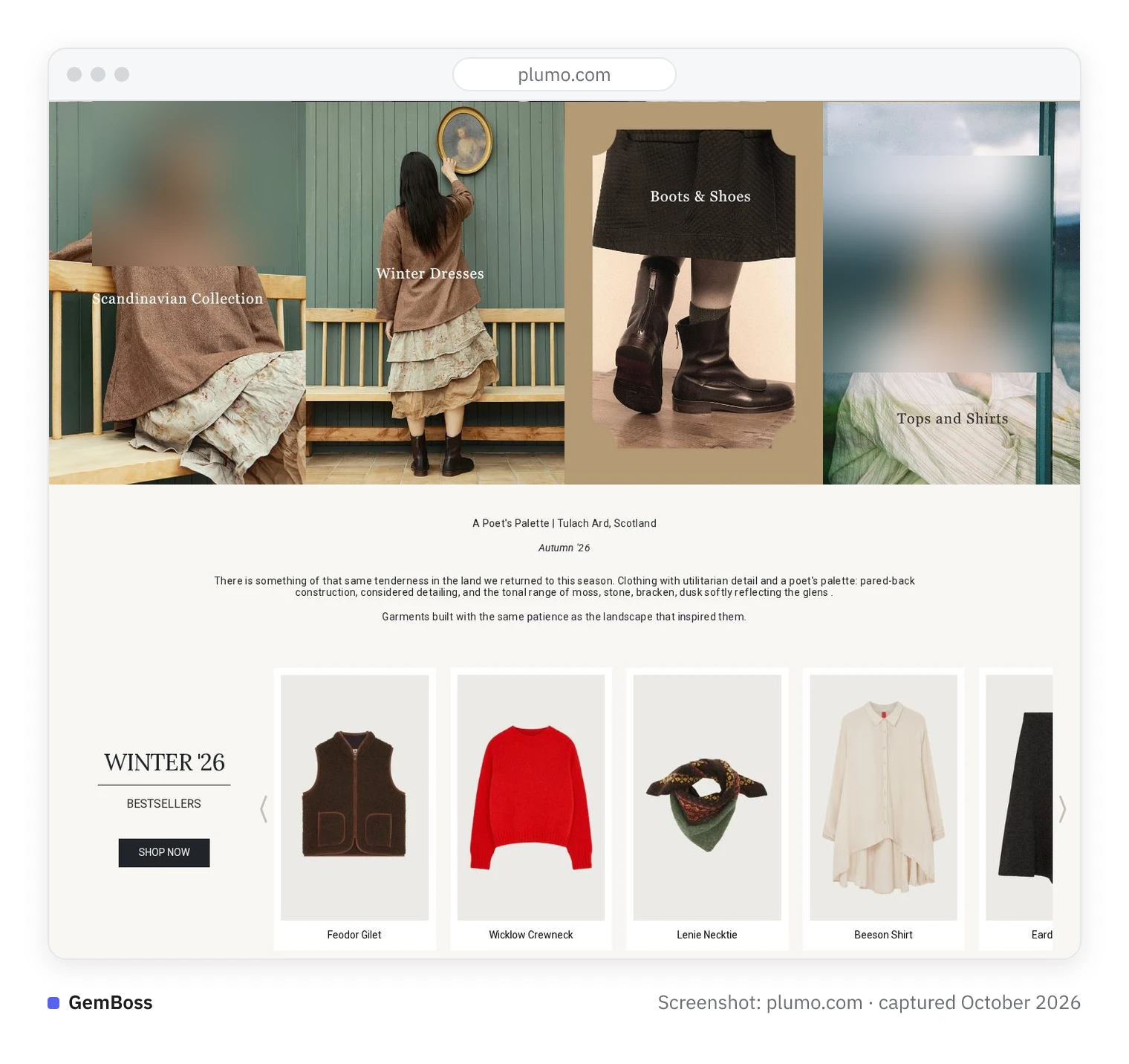
Screenshot of Plümo, captured October 2026.
The smaller jobs each landed somewhere specific:
- Size guides. Built with metaobjects: one guide per designer, created once and managed in one place, with clothing and shoe size conversions on the product page. Nobody edits a size chart on every product any more.
- Delivery and pre-order messages. Delivery and returns, size and fit advice, sale messaging, pre-orders and estimated dispatch dates are set globally. Any of them can be overridden for a single product, so nobody edits every listing by hand.
- Collection images. Metafields let the team choose a secondary image for a product and decide, collection by collection, which image shows.
- Back office. Rather than add an ERP, the agency connected tools, automations and reports through Mechanic. Live data is on hand, with no extra platform to look after.
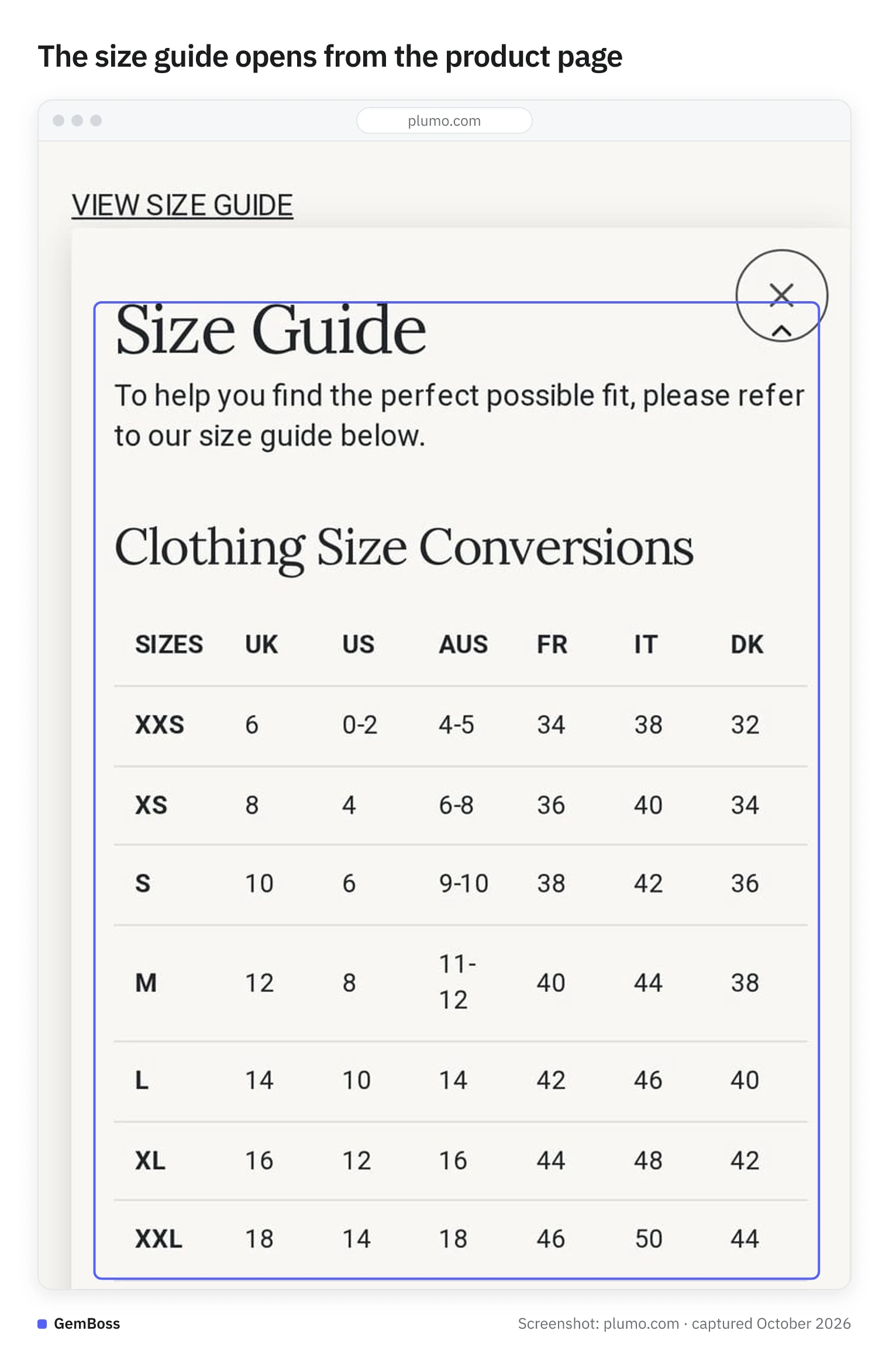
Screenshot of Plümo, captured October 2026.
On the Shoes collection page, the Gardenia Clogs tile shows a different photo from the first image on its product page.
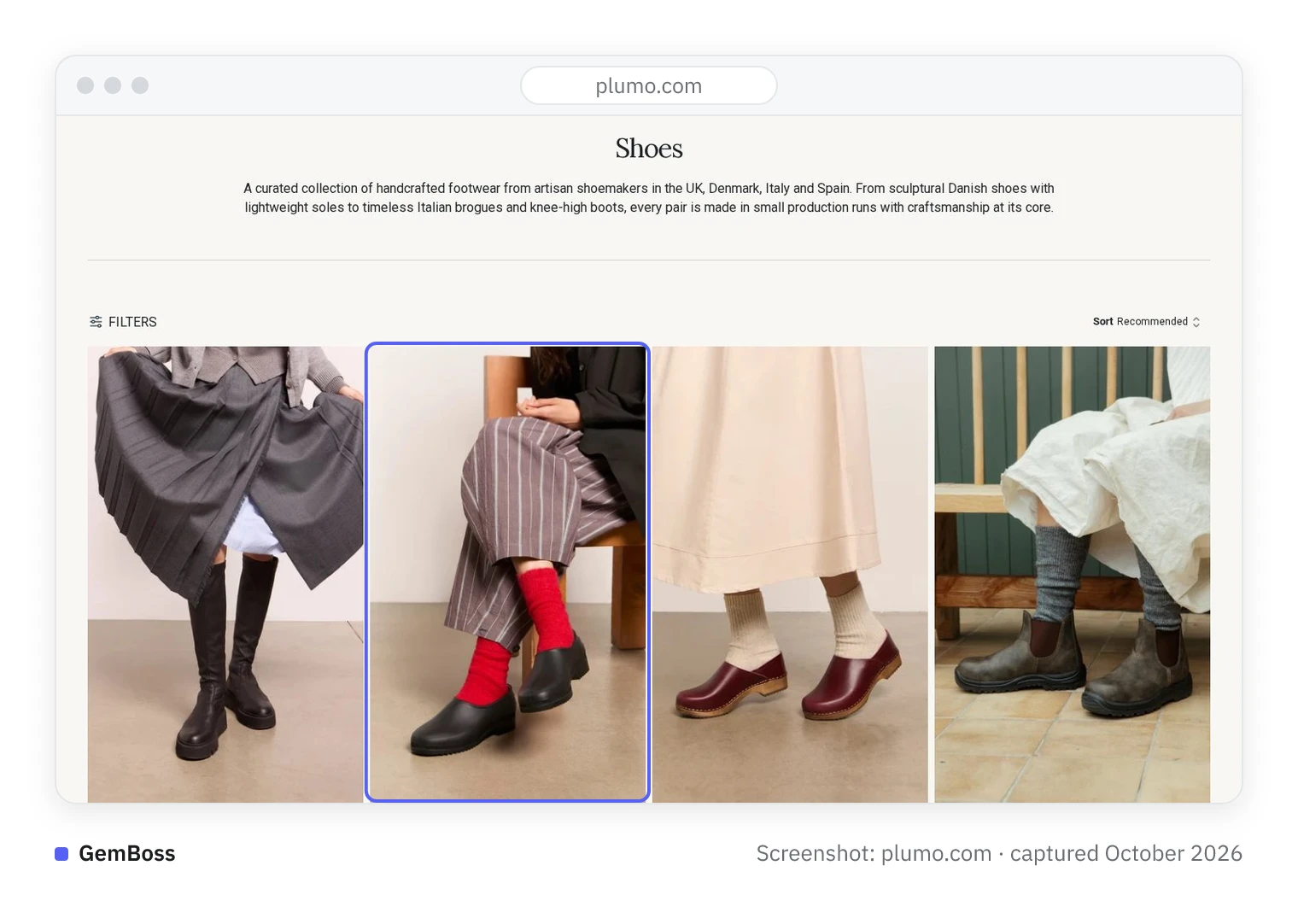
Screenshot of Plümo, captured October 2026.
Three data imports, plus redirects and Merchant Center IDs
The data moved in three passes. Products, collections and stock were exported from the old system and imported into Shopify with Altera, picking up metafields on the way. The first import built the site, a second close to go-live brought new and changed products, and a final pass at launch carried stock only (case study).
In a small-run catalogue, stock is the figure most likely to move between passes.
SEO metadata and content travelled with the products, and the agency mapped 301 redirects (permanent forwards from old URLs to new ones) and Merchant Center IDs, the product identifiers Google Shopping already knows, to protect Plümo's existing rankings. Launch came with a QA checklist, GA4, Search Console, Bing, 14 days of post-live tracking and team training. The agency's reason, given on LinkedIn: an established store faces its biggest ranking risk during a migration.
Organic search grew 51%: compared with which month?
Squashed Pixel reports these figures for the months after Plümo's June launch (case study):
- Revenue up 25% from launch month to October, the best month since go-live
- Orders up 73% from launch month to August, counted as monthly transactions
- Organic search sessions up 51% between June and September
- A record organic day on October 25, with more than double the average daily organic sessions
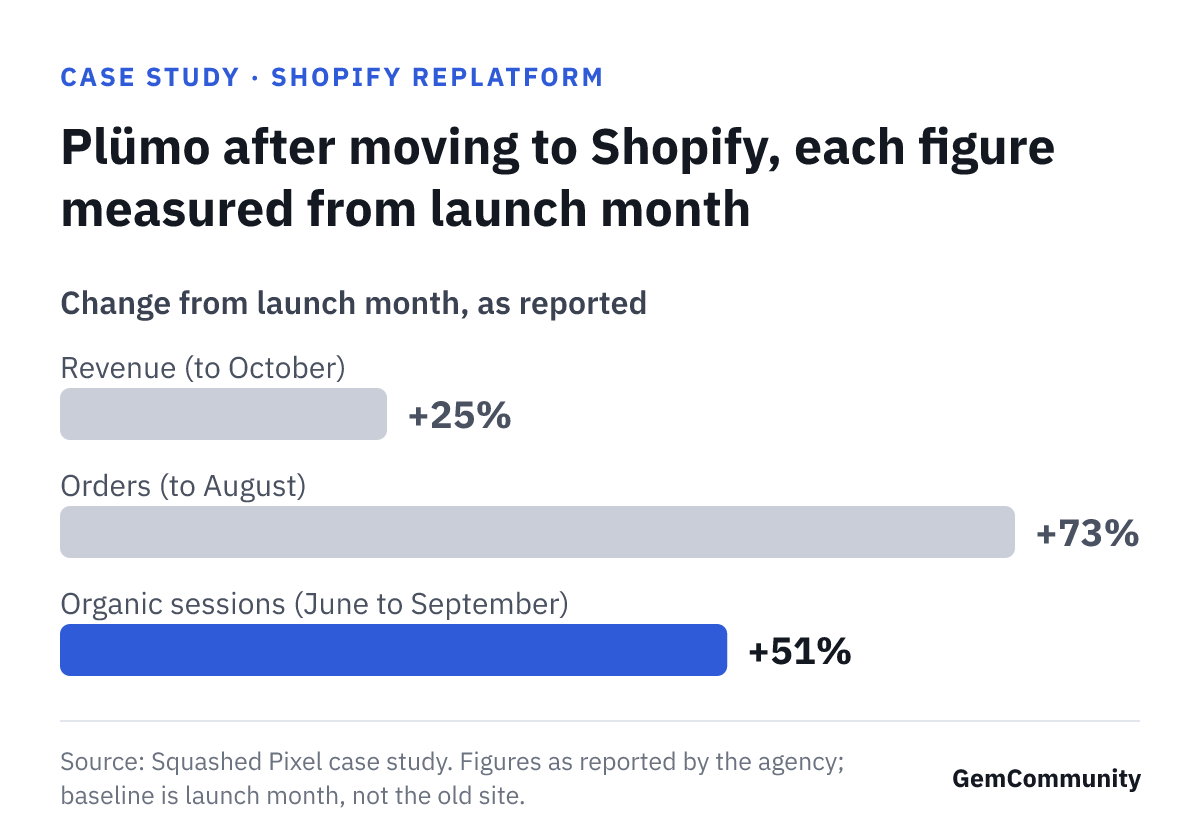
Every comparison starts at launch month. The case gives no figures from the old site, so it shows growth after launch; it cannot show the new store beating the old one. The numbers also come from the agency that did the work, and they do not separate which step, or which season, moved which figure.
Ask what the baseline is before you trust a migration number.
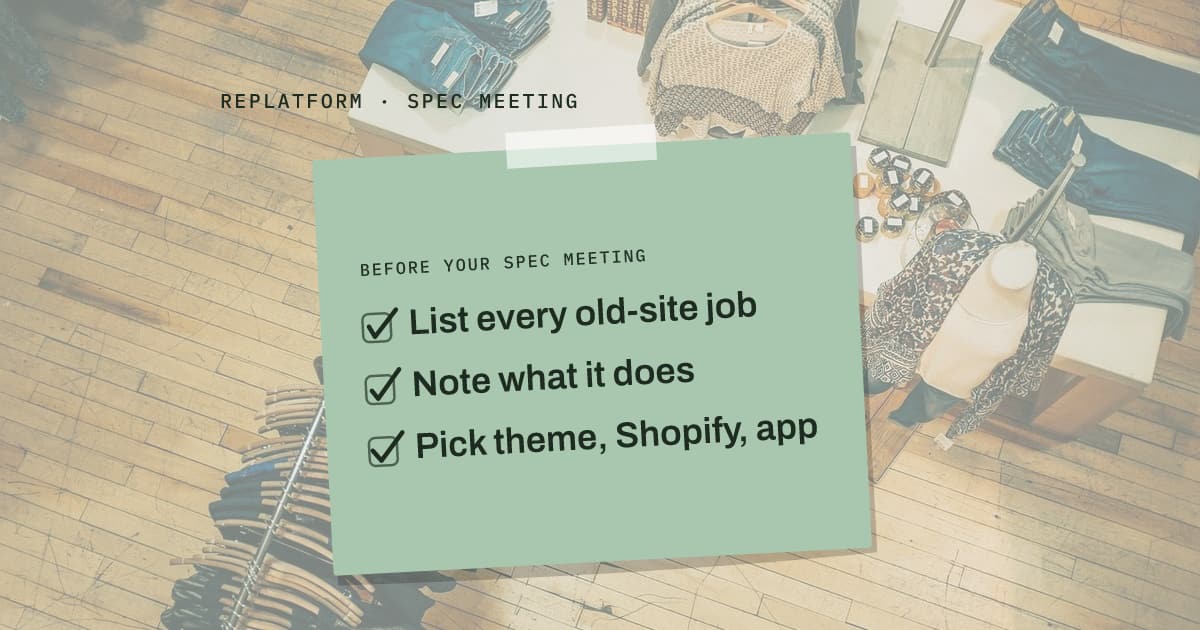
Before your spec meeting: list jobs, not features
The agency's own takeaway (Squashed Pixel on LinkedIn) is to skip the feature-by-feature copy: pin down the business purpose of each feature first, then place it in the theme, in Shopify or in an app. Mechanic in place of an ERP was this store's call, and a business already running an ERP may land somewhere else. For your own store, the exercise looks like this:
- Write down every job your current site does, including the ones a plugin or a back-office process does without anyone noticing.
- Next to each, note what it does for selling: clear sizing, honest dispatch dates, stock data you can trust.
- Then decide where it lives: the theme, Shopify's own tools, or an app. Plümo's rule was theme first wherever possible.
- Keep a separate list for search: URLs that need 301 redirects, SEO metadata, Merchant Center IDs.
The spec that protects a migration lists what each function is for, not what it is called.