All stories · Article
Shopify's new Canvas tool: Why beauty brands should start with one product page
Share: WhatsApp · Telegram · X · Facebook · LinkedIn · Email
Written by AI Reviewed by Iris (Nghi Chau)
Introduced on October 1, it gives beauty brands a way to work on product pages and collections side by side, making it easier to see how a design change fits across the store.
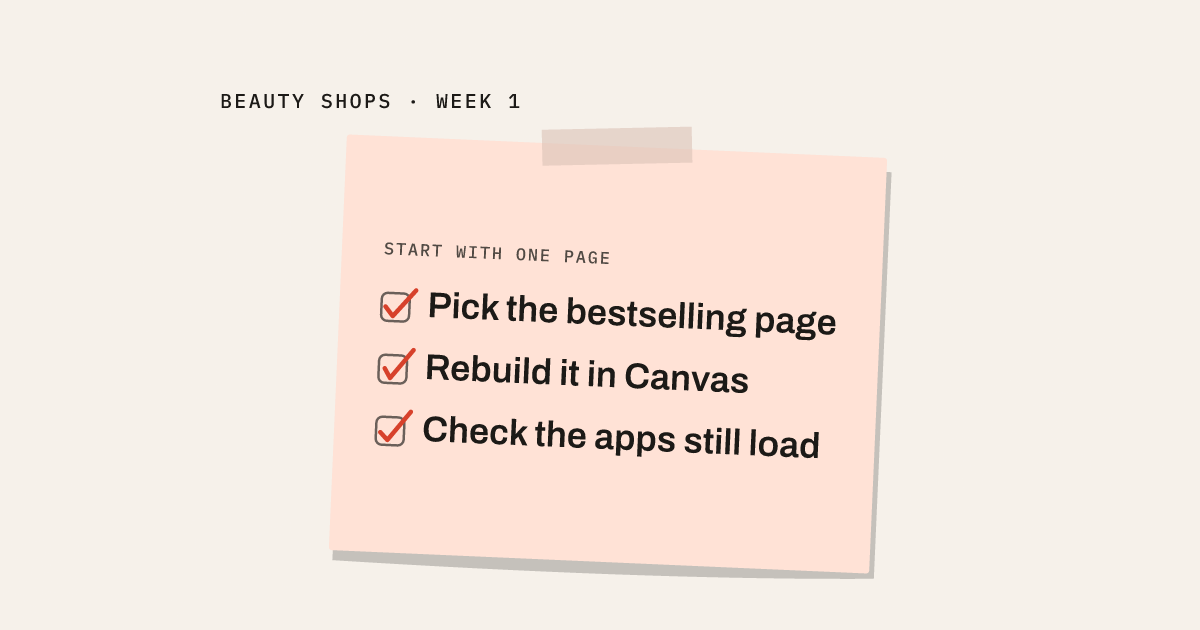
Before planning a full redesign, though, merchants need to check whether Canvas supports the features their store relies on. At launch, it doesn't support app blocks or app embeds, which matters if a product page uses them to display customer reviews or subscription options. Our recommendation for the first week is to test one product page in a copy of the theme: explore the design, identify any missing functionality, and use those findings to decide whether a wider redesign makes sense.
One board instead of one template at a time
In the current theme editor, you open one template, fix it, save it, and move to the next. Canvas puts every page of the store on one board instead, according to Shopify's changelog. You can click an element to edit it directly, or describe the change to Sidekick, Shopify's AI assistant, in a chat panel, and watch it land across the page. The preview runs on the real store too: real products, real collections, every screen size, not a static mockup.
For a shop juggling dozens of product pages and a handful of collections, that's the part worth noticing: the same board holds a product page and a collection page side by side, so a change on one can be checked against the other without switching editors.
The news also reached general tech coverage the same day: TechCrunch ran a short piece, picked up by Google News, that added nothing beyond what Shopify had already said.
Where Canvas still stops
Speed isn't the same as coverage. Shopify's changelog lists the gaps directly: Canvas works with Shopify's own themes or a custom theme, not third-party themes from the Theme Store. It doesn't yet support Markets, rollouts (scheduled and tested theme changes), translations, app blocks, or app embeds. Themes built in Canvas also don't receive automatic theme updates.
For a beauty shop, the app blocks and app embeds line matters most. A lot of what sits on a product page today, a review widget, a subscription toggle, a skin-type quiz, loads through an app. If that widget runs through an app block or app embed and the page gets rebuilt in Canvas, it may simply not show up, and nothing in the editor flags the gap.
Why a week isn't enough to touch the whole store
Rebuilding an entire catalog in one pass creates two unresolved risks at once: the limits above apply to every page at the same time, and nobody, including Shopify, has published a conversion number for a page built in Canvas against the page it replaced. Neither risk shows up until a page is live. Narrow the work to one page first, and both become things you can check before anything ships.
Picture a shop where one serum drives most of the revenue, a review app runs on every product page, and a subscribe-and-save widget sits on that bestseller. The theme hasn't changed in two years. A first week is better spent on that one page than across the whole catalog.
A seven-day order for one product page first
This order is a proposal, built by combining Shopify's own description of Canvas with a general framework for reviewing product-detail pages.
| Days | What to do | What to check before moving on |
|---|---|---|
| 1–2 | Pick the one product page that carries the most revenue and run it through the checks a product-detail-page review usually asks for: one clear hero shot, a second angle, the ingredient list spelled out as text rather than buried in an image, and a price that doesn't hide behind a variant picker (modao.cc, a general design framework, not a Canvas example) | Every item on that list has a place on the current page, written down before you touch Canvas |
| 3–4 | Duplicate the current theme into Canvas, which Shopify's changelog confirms leaves the original untouched, and rebuild that one page using the Day 1–2 list as the brief | The review widget and the subscription toggle still load, and the page holds up on a phone and a desktop browser |
| 5–7 | Open one related collection page on the same board and apply the same pattern | The collection page matches the product page on the checks that carried over, before anything else in the catalog changes |
What this roadmap doesn't prove yet
This part is our own guess, still unproven: start with one page and the two open risks, the app-block gap and the missing conversion data, get easier to catch before they spread through the rest of the catalog. Nobody has confirmed how long each step actually takes on a live beauty shop, or which checks turn out to need manual fixes once the page is inside Canvas.
Open the admin this week, find the one product page that carries the most revenue, and block out the seven days above before deciding whether Canvas earns a place on the rest of the store.
Sources
- https://www.shopify.com/news/introducing-canvas
- https://changelog.shopify.com/posts/design-a-fully-bespoke-store-with-canvas
- https://news.google.com/rss/articles/CBMiqAFBVV95cUxPZFcxTnBKYjcwc1BfVDJab0FMUWJXRlRRa2RqS2R6Y1hFMVdPTXNUYVpoQlRiQlZzZ0tiQjhUelFmejBudUdSTlVMYWpfQTl3OVFjYmN5ZU11ZWNRNnlWUWhMRFZjenB3c1MxQXU5NXZvQXFSdW5RODZsdXl4dTh0bm54ZHg4RFlHOXN3eGZuZVFhRU8zTWxWbV9LQXBvenQzc0lfRVdyS1E?oc=5
- https://modao.cc/ad/blog/product-detail-page-design.html