All stories · Hot News
Sidekick can now analyze your Shopify metafields
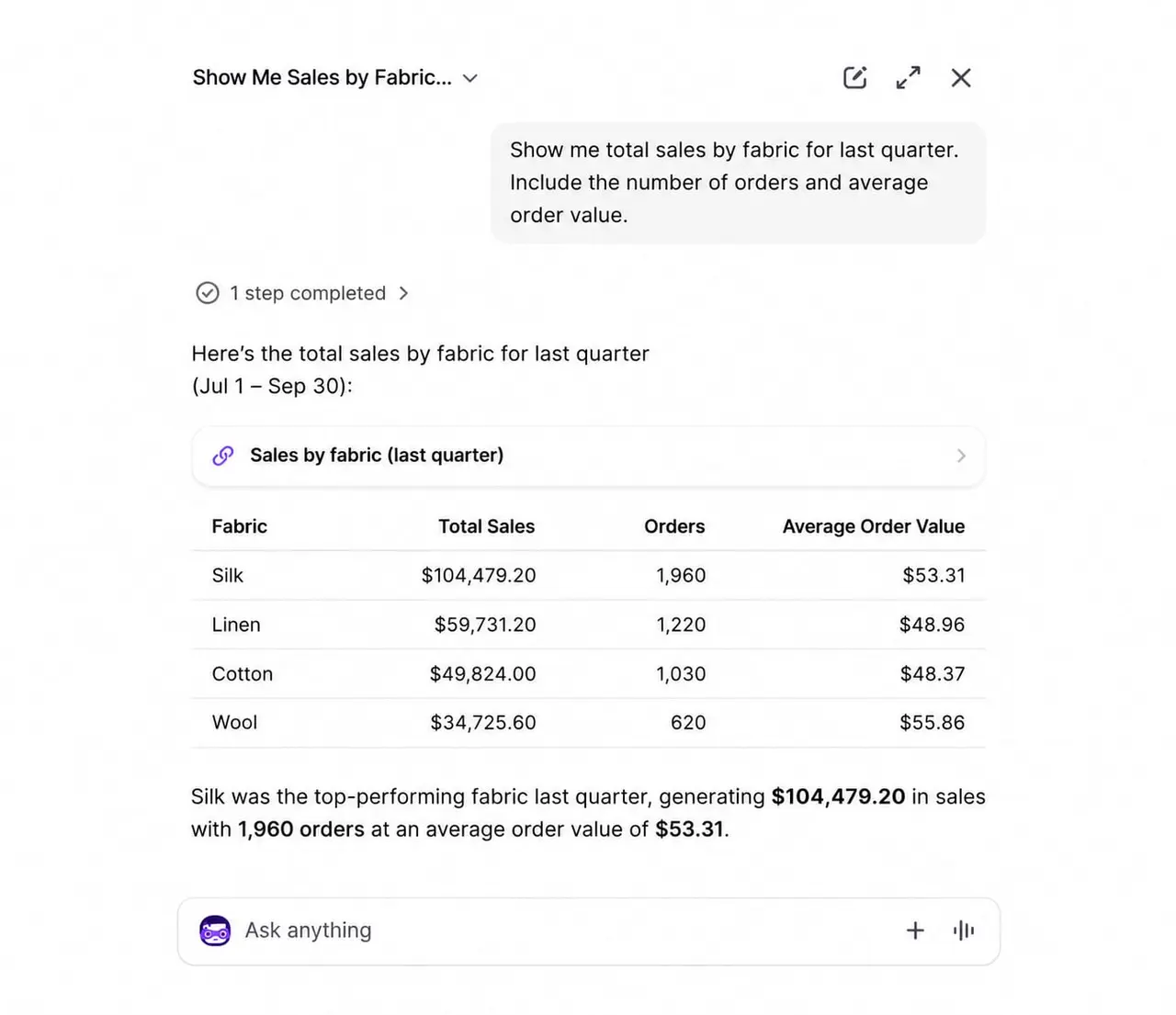
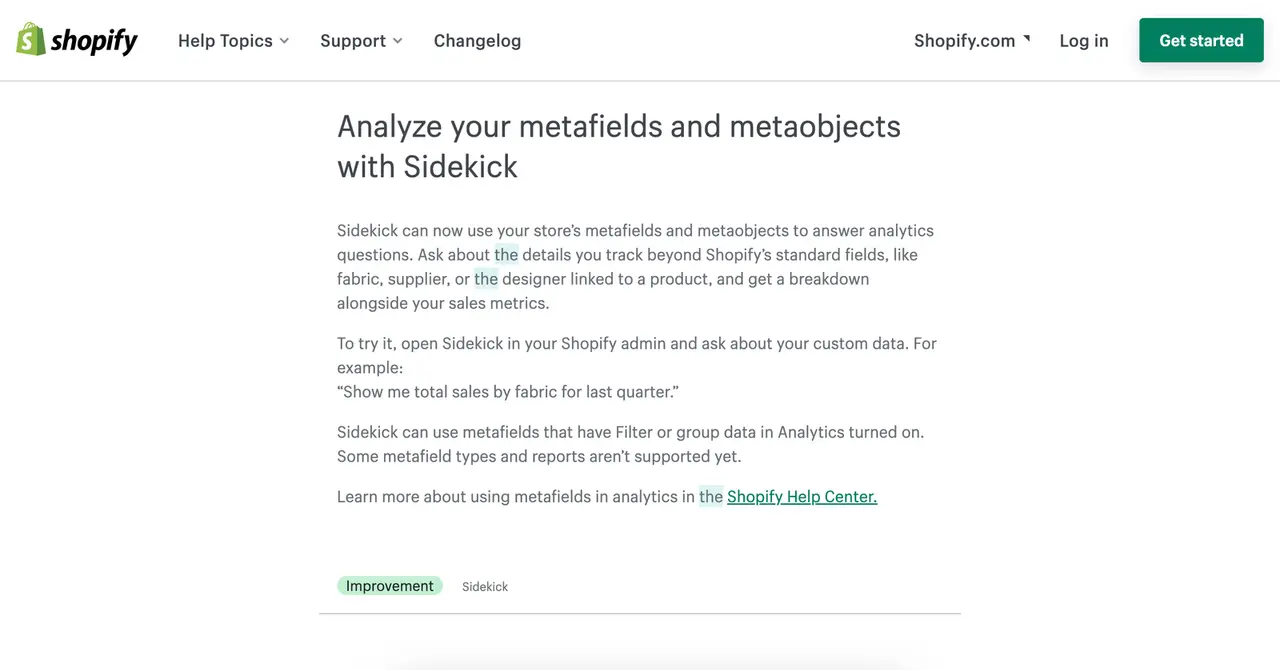
Shopify Sidekick can now answer sales questions using custom metafields and metaobjects, including attributes such as fabric, supplier, and designer.
Share: WhatsApp · Telegram · X · Facebook · LinkedIn · Email

Announced on November 17, 2026, the update lets merchants ask questions in plain language and get sales breakdowns based on data beyond Shopify's standard product fields.
For example, you can ask: "Show me total sales by fabric for last quarter."
But there is one important condition: Sidekick can use metafields only when Filter or group data in Analytics is enabled for the relevant definition. Shopify also notes that some metafield types and reports are not supported yet.
What this means for your store:
- Already have compatible metafields enabled for Analytics? You can try asking Sidekick about those attributes now.
- Store fabric, supplier, or designer information in custom fields? Check whether those definitions are enabled for Analytics first.
- Haven't configured custom metafields? This update will not automatically create or organize that data for you.
Source: Shopify Changelog, November 17, 2026
Why might Sidekick not see your fabric or supplier data?
The new capability builds on Shopify Analytics features released earlier in 2026. The ability to analyze custom metafields is not entirely new. What has changed is that merchants can now ask Sidekick to retrieve those insights through natural-language questions.
There are three things to check.
1. Analytics is not enabled for the metafield.
When creating a custom metafield, Shopify requires merchants to enable Filter or group data in Analytics before using it as a dimension or filter in reports.
You can manage this under Settings > Metafields and metaobjects.
Source: Shopify Changelog, February 12, 2026
2. The metafield type or report may not be supported.
Shopify's Help Center lists the supported metafield types for reports, including text, numbers, dates, URLs, references, and certain list types.
It also excludes fields accessed through Mixed reference metafields from metaobject reporting. Not every report can be customized.
These are documented Analytics reporting limitations. Shopify has not published a complete list confirming that every supported report field is also available to Sidekick.
3. App-created metaobjects may have Analytics disabled by default.
If your store uses an app to manage structured data, check how its metaobject definitions are configured.
Shopify's September 28 update explains that merchant-owned metaobjects are enabled by default, while app-created metaobjects remain disabled until the merchant or app enables Analytics for that definition.
Source: Shopify Changelog, September 28, 2026
What should merchants check before trusting Sidekick's numbers?
Start with one attribute that matters to your business, such as fabric or supplier.
- Open Settings > Metafields and metaobjects.
- Find the relevant metafield or metaobject definition.
- Check whether Filter or group data in Analytics is enabled.
- Open Sidekick and ask a specific sales question using that attribute.
- Run the equivalent breakdown in Shopify Reports and compare the results.
For app developers and agencies, there is another useful development: Shopify added support for configuring the analytics_queryable capability directly in shopify.app.toml on October 20, 2026. This gives app developers a way to declare whether their metafield and metaobject definitions can be queried in Analytics.
Source: Shopify Developer Changelog, October 20, 2026
The key takeaway: Sidekick does not replace the work of structuring your store's data. It makes that data easier to query. The quality of the answer still depends on whether your custom attributes are properly defined, supported, and enabled for Analytics.
Shopify has not yet published a complete list of unsupported metafield types and reports, or a detailed breakdown of the update's plan and market availability. Merchants should test their own data and verify important figures against Reports before relying on them.
Ask AI next
- Is there a delay between enabling the Analytics flag on a metafield and Sidekick being able to query it?
- Why are app-created metaobjects disabled for Analytics by default while merchant-owned ones aren't?
- Is there a tool to bulk-enable the Analytics flag across many metafields instead of toggling each one manually?
- Does this Sidekick metafield feature require a specific Shopify plan, or is it available on all plans?
- What signals would show Shopify is about to publish the full list of supported metafield types for Sidekick?