All stories · Article
Surge 2.0 can replace storefront apps, not your back-office stack
A theme can replace the Shopify apps that change what shoppers see, not the ones that run email, analytics or subscriptions.
Share: WhatsApp · Telegram · X · Facebook · LinkedIn · Email
That line sits inside a video on Oliver Kenyon's ConversionWise channel selling the Surge 2.0 theme, summarized and reviewed here.
The video is a launch ad, and the savings grow on the sales page
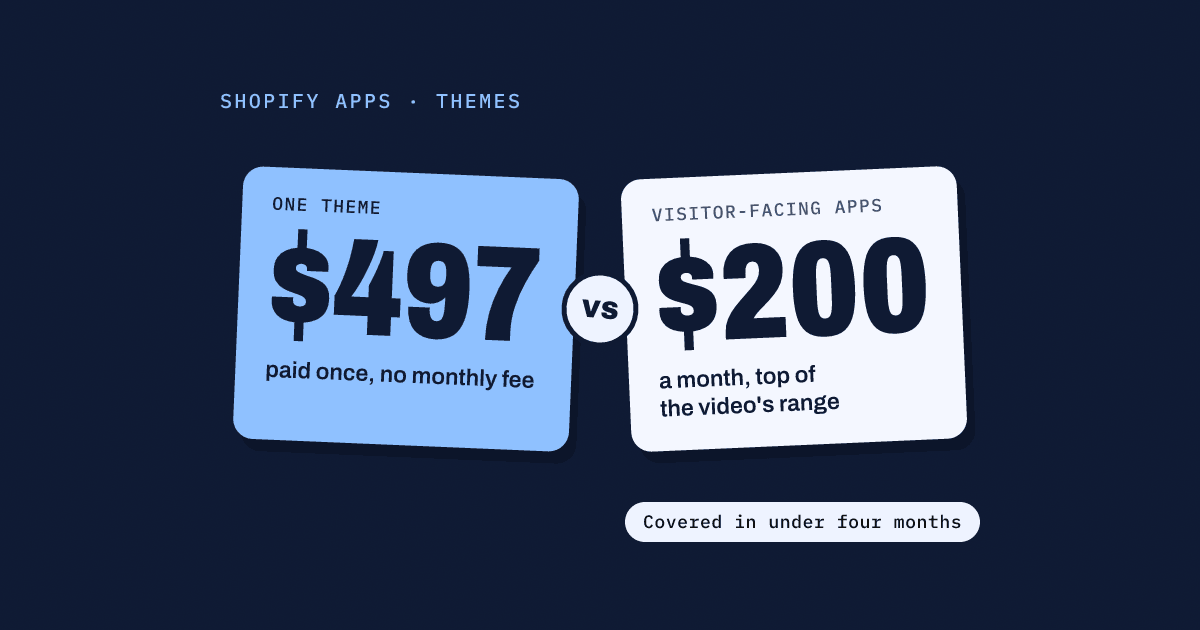
ConversionWise, the agency behind the channel, builds and sells Surge, and the video went up before the 2.0 launch. Rez, who presents it, says a store on Shopify's base theme with the usual app stack can spend $150 to $200 a month on apps, or $1,600 to $2,000 a year (video, 0:00). That is the pitch. Every saving in the video is measured against it.
The Surge sales page goes further. Its FAQ says the average store saves $200 to $400 a month, and a banner puts the savings at $5,000 to $14,000. The narration's own yearly range is a fraction of that.
The feature count moves too. The narration says over 55 blocks and sections (video, 1:08). The sales page on screen says 120+ components at 0:41 and 140+ at 15:55. These may count different things. They are still three numbers for one theme.
The cost spreadsheet at 3:31 has a quieter detail (video, 3:31). Its app list includes a sticky add-to-cart app priced at $0.00 a month. Not every line in a stack is money saved.
Surge itself costs $497, paid once, with no monthly fee, according to the sales page.
Almost everything it bundles is something shoppers see
Most of the demo replaces a single-purpose app that changes the storefront. Before-and-after sliders (video, 2:11), color swatches (video, 3:30), two countdown timers (video, 4:02) and a mega menu (video, 4:36) all come as theme sections.
Quantity breaks carry a real price. The packs are set from the product page itself (video, 5:25), and the spreadsheet prices a quantity-break app at $49.99 a month. That one app is a quarter to a third of the video's $150 to $200 monthly total.
The cart gets the most attention. Cart goals run up to five milestones, which Rez says is the limit that worked best in the agency's own testing (video, 8:37). Add-on upsells and free gifts sit in the cart too (video, 9:12). He prices cart apps at $5 to $15 a month (video, 10:00) and gift and bundle apps at $19 to $45 a month, on tiers that climb as usage grows (video, 10:34).
Two features are worth testing rather than switching on. Comparison tables now come in three layouts, pre-filled with comparison copy you swap for your own benefits (video, 6:10). A product button can skip the cart and send buyers straight to checkout, which Rez himself files under things to test (video, 7:30).
The review section is a display block. Rez pitches it to stores not ready to pay for a review app, where reviews are collected some other way (video, 11:06). It shows reviews. It does not gather them.
The last piece is a direct-response sales page built from theme sections, with no menu or collection links pulling visitors away (video, 12:10). Rez pitches it as doing what a landing page builder does, inside the theme.
The video draws its own line at email, analytics and subscriptions
Rez is clear about what the theme should not replace. Email and SMS tools such as Klaviyo or Mailchimp, tracking and analytics such as Hotjar or Intelligems, and subscription apps stay as apps (video, 14:05). So do translation and help desk tools (video, 15:15).
His rule is simple. The theme takes anything a visitor sees on the store; apps keep the work behind it (video, 15:34). That test works on any stack, with any theme.
A feature built into a theme only moves if the theme does
Rez closes with the big promise: "It's built to be the last theme you'll ever need to build, launch, and deploy a high converting e-commerce store." (video, 16:04)
That promise matters more than it sounds. Shopify's help center says the settings on sections and blocks are unique to each theme, and you set them up again for every theme you use. Each feature that moves from an app into Surge is one more thing to rebuild if you ever leave it.
The other side is real too. Shopify also warns that some apps add code to your theme that stays after you uninstall them. Fewer storefront apps means less of that left behind.
Price your own stack before you trust any savings number
The video's math only holds if you were going to pay for those apps. Check that against your own bill:
- List every app you pay for, with its monthly charge.
- Mark each one: does it change what shoppers see, or does it run email, data, subscriptions or support? Only the first group is in play.
- Add up the first group. Against $497 paid once, the video's $150 to $200 a month covers the theme in under four months. A first group of a few dollars a month takes years to.
- Before you uninstall anything, read the app's listing or ask its developer how to remove its theme code, as Shopify advises.
Do the sum this week, with the visitor-facing apps only. That number, not the one on the sales page, is what a theme like this saves you.