All stories · Article
Why does your Shopify store get traffic but no orders?
Visitors arriving and nobody buying came up again and again on Reddit's r/ecommerce from September to mid-October 2026. There was a men's skincare brand in the UAE, a store selling licensed Sanrio merchandise, and a small store that suddenly saw traffic jump.
Share: WhatsApp · Telegram · X · Facebook · LinkedIn · Email
All three had traffic. None of them knew yet why shoppers were leaving.
Without that answer, sellers tend to guess. In early October 2026, a first-time store owner asked on Shopify Community why people were visiting but nobody was adding anything to the cart, and guessed the store just didn't look professional. Our view: before you touch the design or cut prices, find out which step shoppers stop at. Each stopping point usually points to a different cause.
The 5 steps a shopper takes before an order
In that thread, one reply advised against redesigning the whole store and suggested looking at the Shopify funnel data first. The funnel has five steps: a shopper lands on the store, views a product, adds it to the cart, reaches checkout, and completes the order. Once you know where the biggest drop happens, you know where to focus instead of guessing.
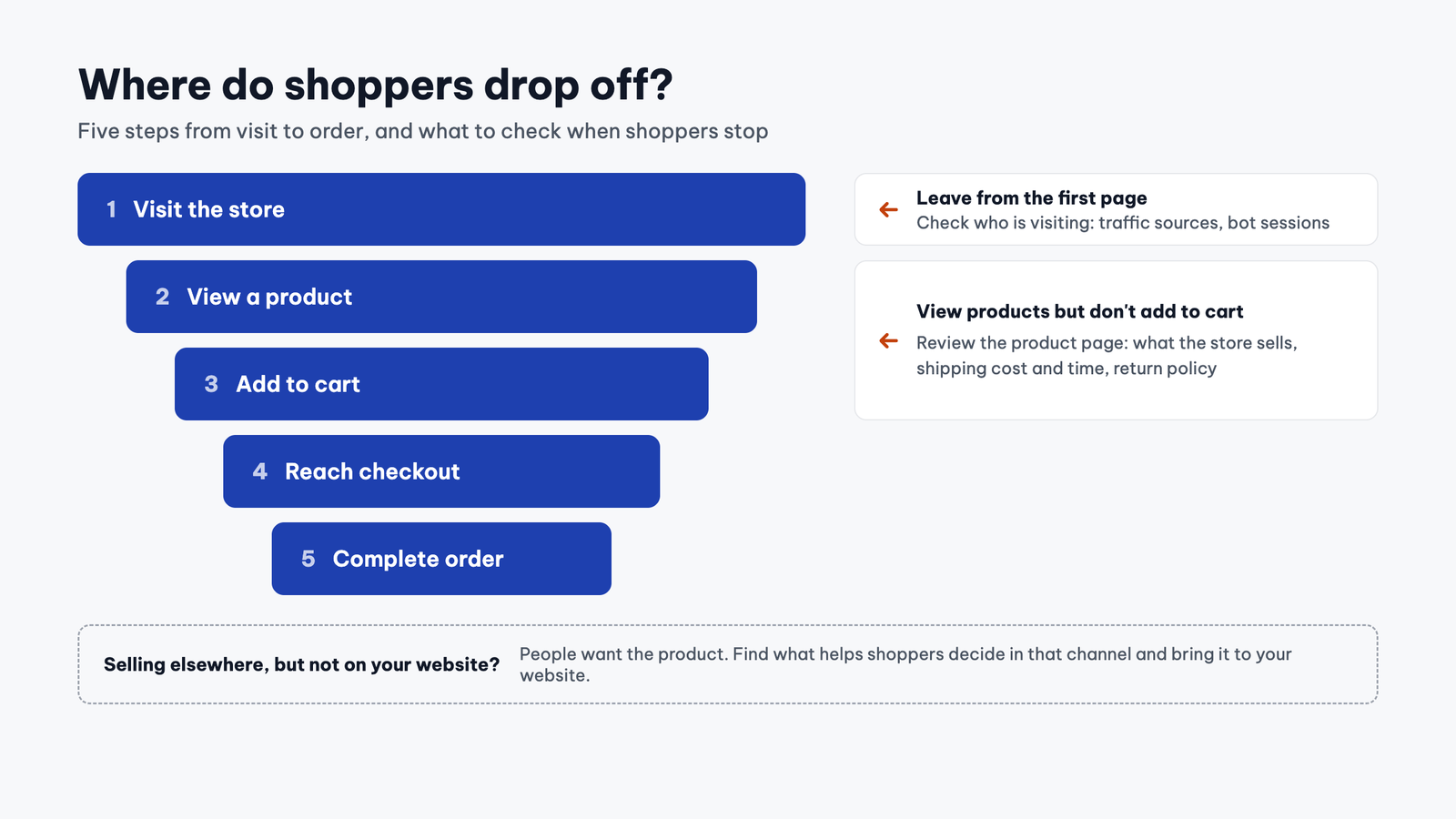
The first two checks are also the quickest. Another reply suggested adding a product to the cart on your own phone to confirm the buy button works, and only then looking at where visitors come from. Doing it in that order rules out two easy causes before you start reworking product pages.
If shoppers leave from the first page, check who is actually visiting
The Sanrio store owner said they had run campaigns on TikTok and Instagram, but the site analytics showed most visitors went no further than the homepage.
The small store with the sudden traffic jump had a different problem. Traffic rose clearly for a few weeks while orders stayed flat. The sessions had similar time on page and similar exit patterns, so the seller suspected bots.
Another member of the Shopify Community thread suggested breaking sessions down by referrer and by landing page, adding: “If most of it is bots or random clicks, zero add to carts is normal and the fix is getting the right visitors, not the design.”
On the bot question specifically, Shopify changed how it measures sessions in an update rolled out from September 21 to 23, 2026. Shopify's help page says sessions identified as bots are now filtered out of session reports by default.
The update also counts some sessions that have no page view, such as a shopper going straight to checkout from a cart link. So your session count and conversion rate can go up or down even when the number of orders stays the same.
The post about the traffic jump was written on September 9, 2026, before the update, so the sessions that seller saw may have included bot sessions. If your store shows the same kind of lookalike sessions, you can check in three steps:
- Open a session-based report such as Sessions by landing page or Sessions by referrer in Analytics > Reports.
- If the report has a “Human or bot session” filter, set it to include bot sessions and compare them with human sessions. The admin home page and Live View always filter out bots and don't let you change this.
- When comparing numbers from before and after the update, put orders and revenue next to sessions, and treat post-update data as your new baseline, as Shopify recommends.
If shoppers view but don't add to cart, review the product page
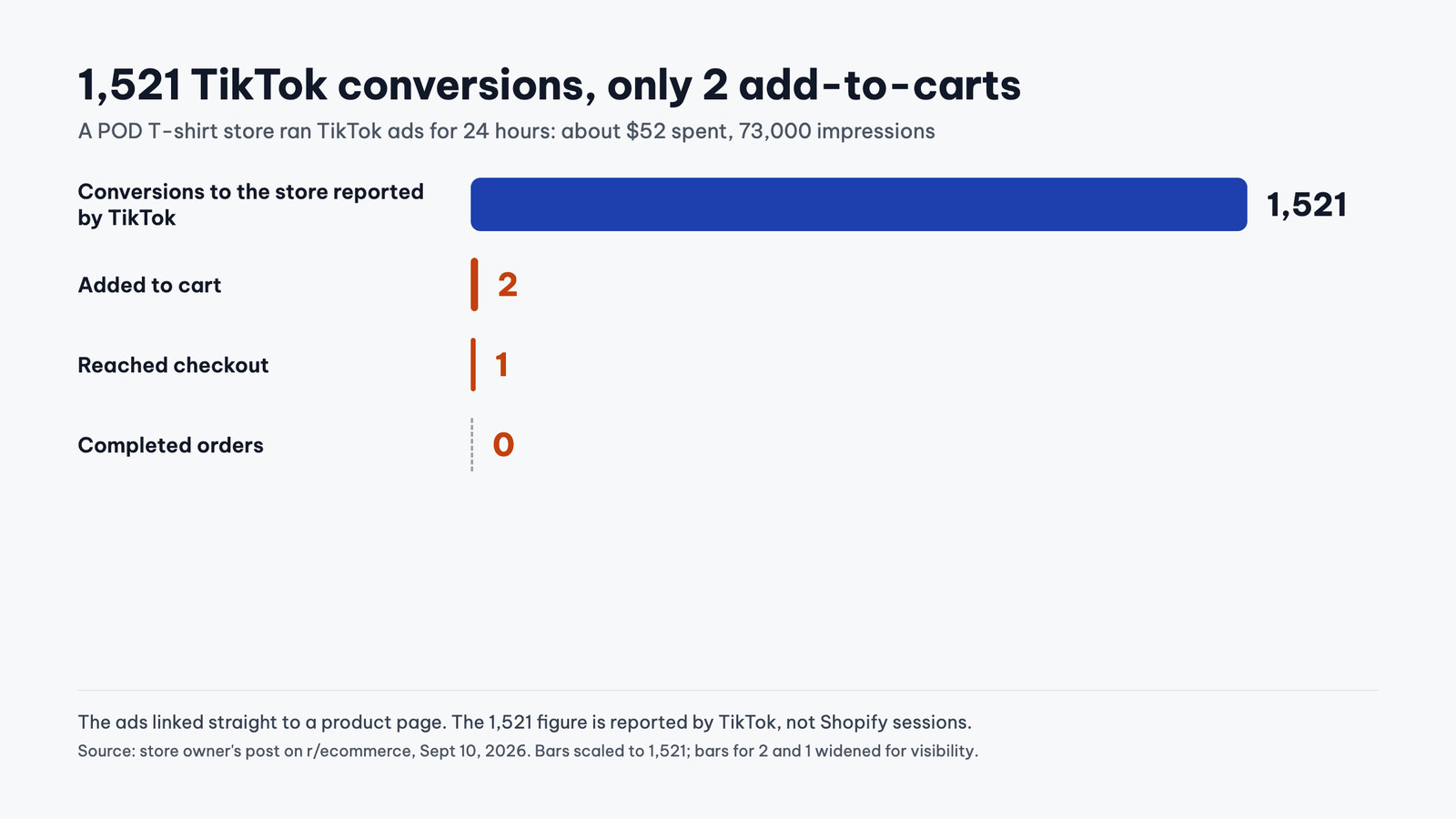
A first-time online seller running a print-on-demand (POD) T-shirt store on Shopify ran TikTok ads for 24 hours. The campaign spent about $52 and got 73,000 impressions and 1,521 actions that TikTok counted as conversions to the store, with the ads sending people straight to the product page. Out of that, only 2 people added to cart, 1 reached checkout, and nobody bought. The seller worried the shirts were priced too high.
That 1,521 is TikTok's number, not a Shopify session count. If Shopify shows roughly the same number of sessions, shoppers did reach the product page and stopped before the add-to-cart button. If Shopify shows far fewer, go back to the question in the previous section: who is actually visiting? When shoppers do reach the page, price may be one reason, but a product page has plenty of other spots that make buyers hesitate.
The store on Shopify Community shows those spots in more detail.
The store is called RCT College Supplies, but according to one reply, the homepage gives too much space to clothing, the return policy is inconsistent in places, shipping estimates aren't very clear, and several product descriptions seem to come straight from suppliers. The member who suggested checking traffic sources counted about 137 products from more than 60 brands, from joggers to cookware. Someone else walked the store from cart to checkout, found every step worked, and concluded that shoppers were dropping on the product page, not because of the theme.
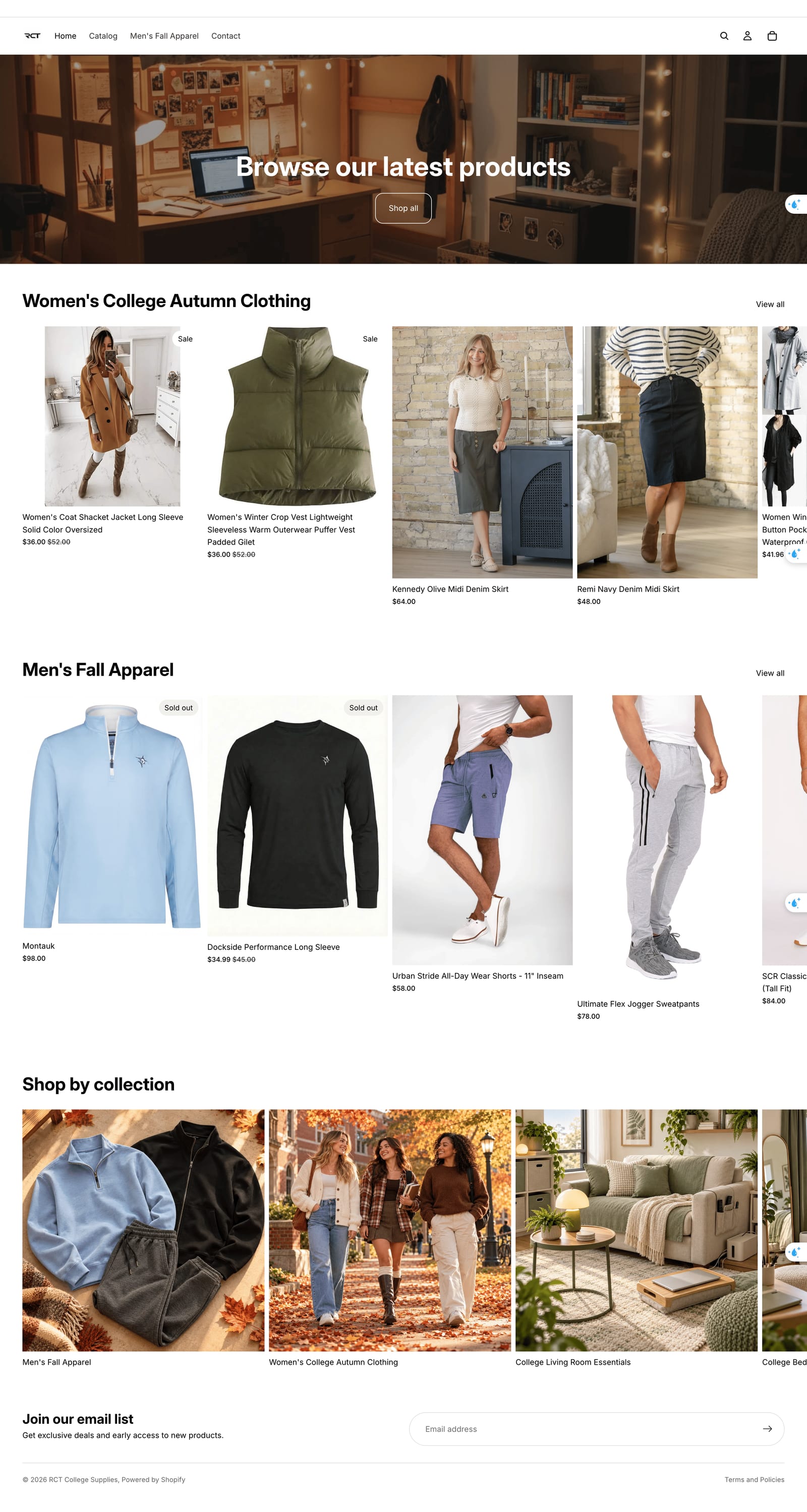
The buy button works fine. When the cart has no bugs and still nobody adds a product, fix the page so shoppers know what the store sells and why they should buy here.
If you already sell on another channel, don't blame the product yet
A skincare store had been open for about 2 weeks, run by an authorized retailer of the brands it carried. After 4 days of ads at around 50 cents per click, it had 500 sessions, an average of 90 seconds per session, and some products viewed for up to 8 minutes. The website had no orders yet, but the seller had made 5 sales on Shop (Shopify's shopping app), so they believed the pricing was fair and people wanted the products.
Mahara Rituals, a skincare brand inspired by Moroccan self-care rituals, ran into something similar. The founder said that since launching in May 2026, 80% of sales had come from events and markets, where some customers bought up to €200 of product. Meanwhile, €400 in ad spend brought in only 3 orders, about €80 in total.
In both cases, shoppers on another channel had already accepted the product and the price. So you can set aside "does anyone want this?" for now and ask what the website is missing that the other channel has. For Mahara, the founder mentioned that customers could try the products on the spot at events, something online buyers can't do.
Fix less, but fix the right thing
Every seller above already had visitors, so the first job is finding out where those visitors stop. Changing the design, cutting prices or raising the ad budget before you know that can easily fix the wrong thing. The Shopify Community store is a case in point: the seller thought the problem was how the store looked, while the replies pointed to traffic sources and product pages.
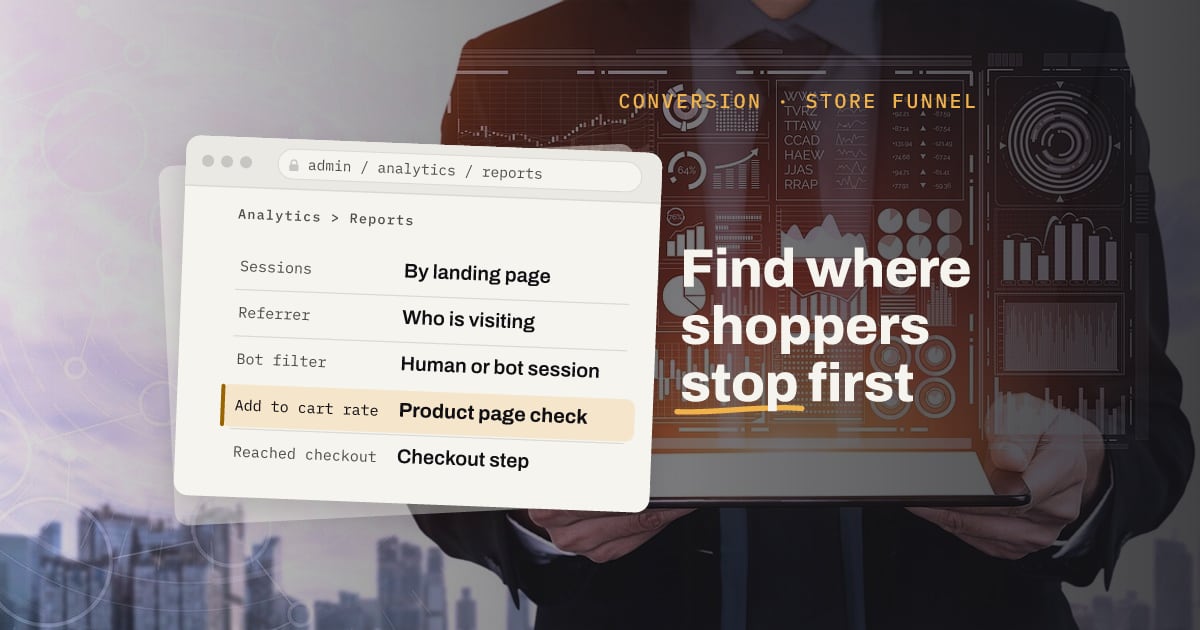
Before your next round of changes, open Analytics > Reports and check your store's add to cart rate and reached checkout rate. Those two numbers help you narrow down whether to start with traffic sources, product pages or checkout.